
Operations
Integrations
Integrations connects Quickly to external accounts and built-in Quickly capabilities through the Connectors tab. Connected tools use workspace-level policy overrides for auto-execute, confirmation, or blocking.
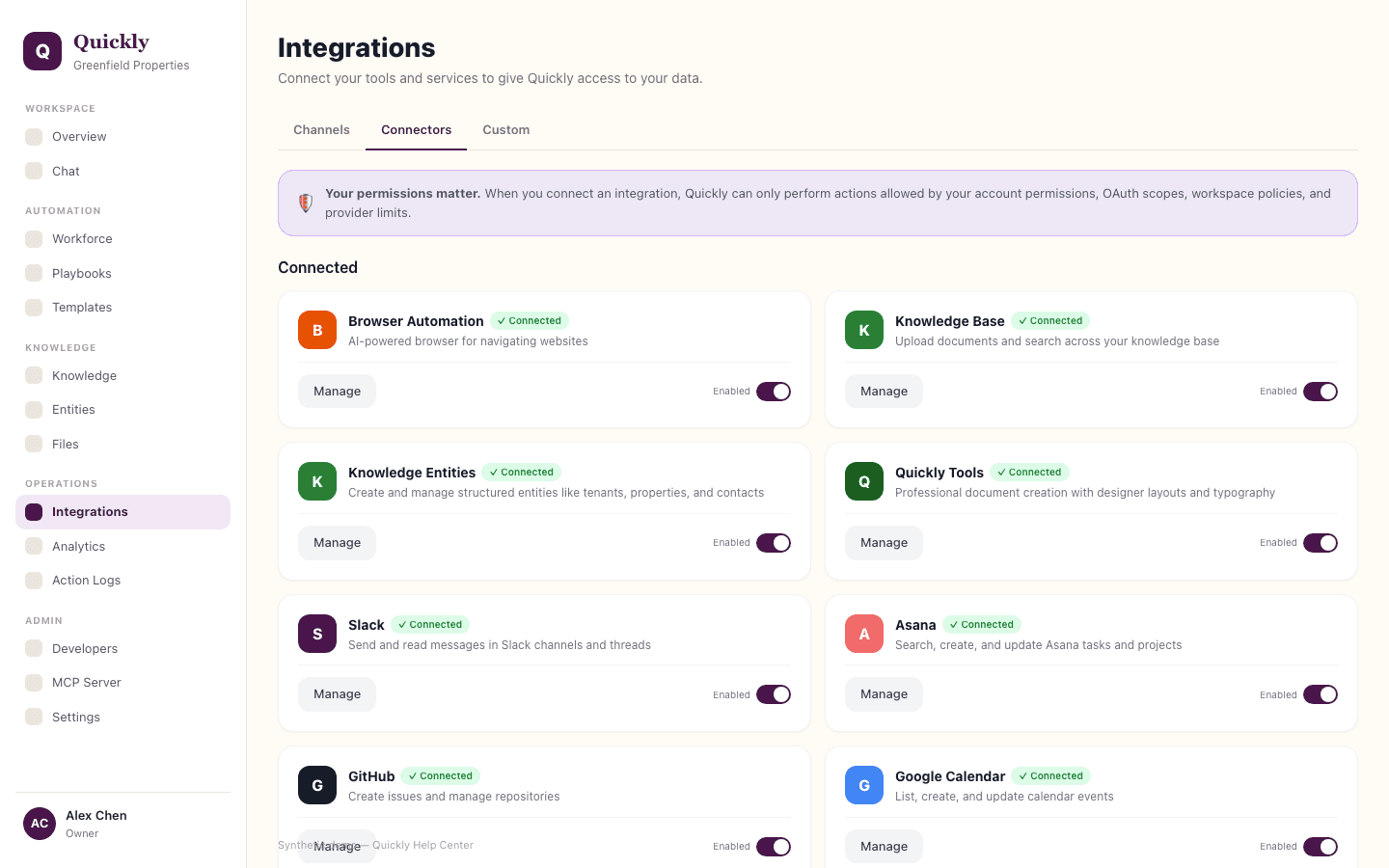
Required tier: Varies by provider and plan
Guides
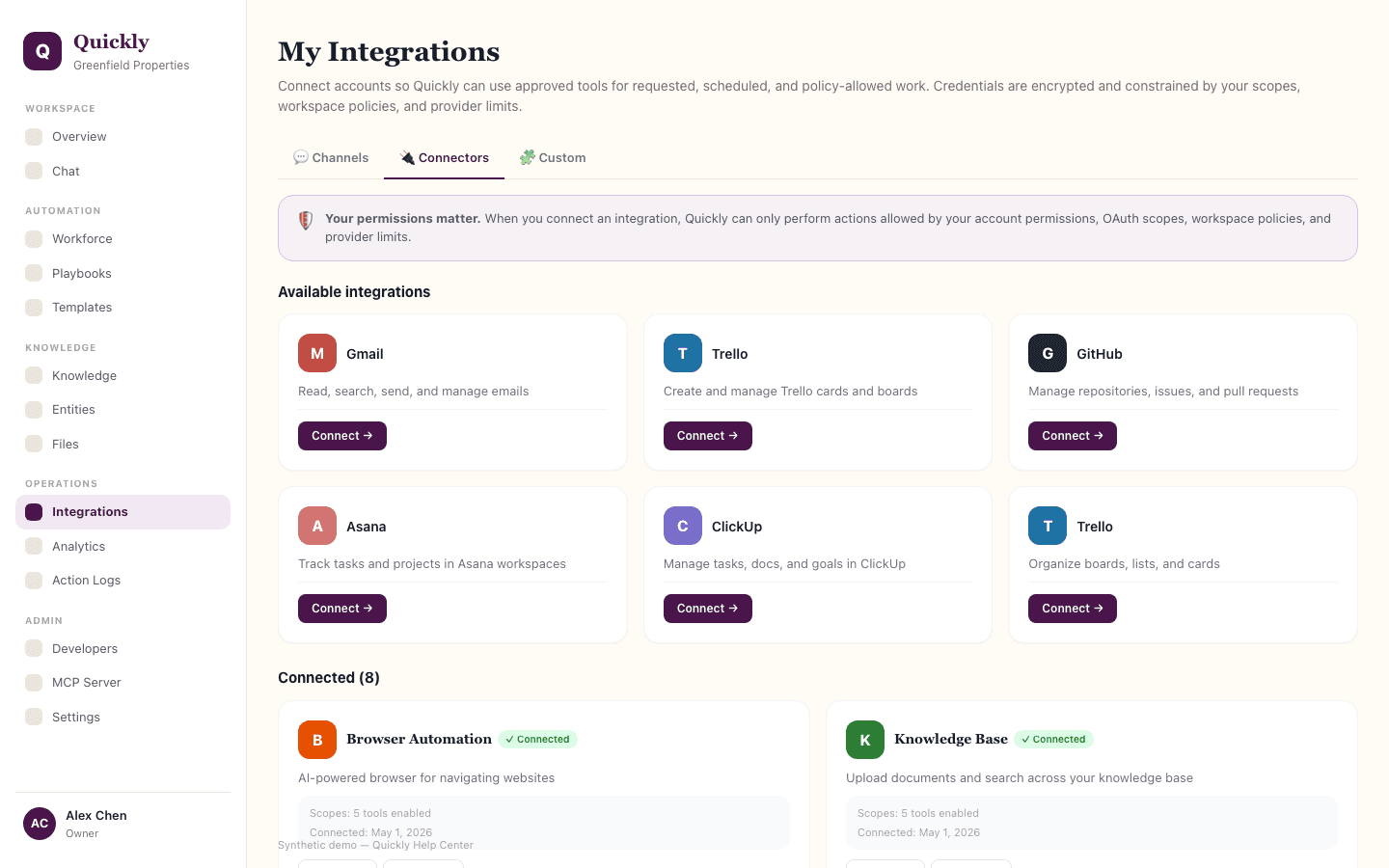
How to connect an integration
- 1Open Integrations and go to the Connectors tab.
- 2Find the provider and click Connect when setup is available, or Request Access when Quickly is still evaluating that connector.
- 3Complete OAuth, browser-auth, or workspace credential setup and confirm the status changes to Connected.
How to manage connector tools and permissions
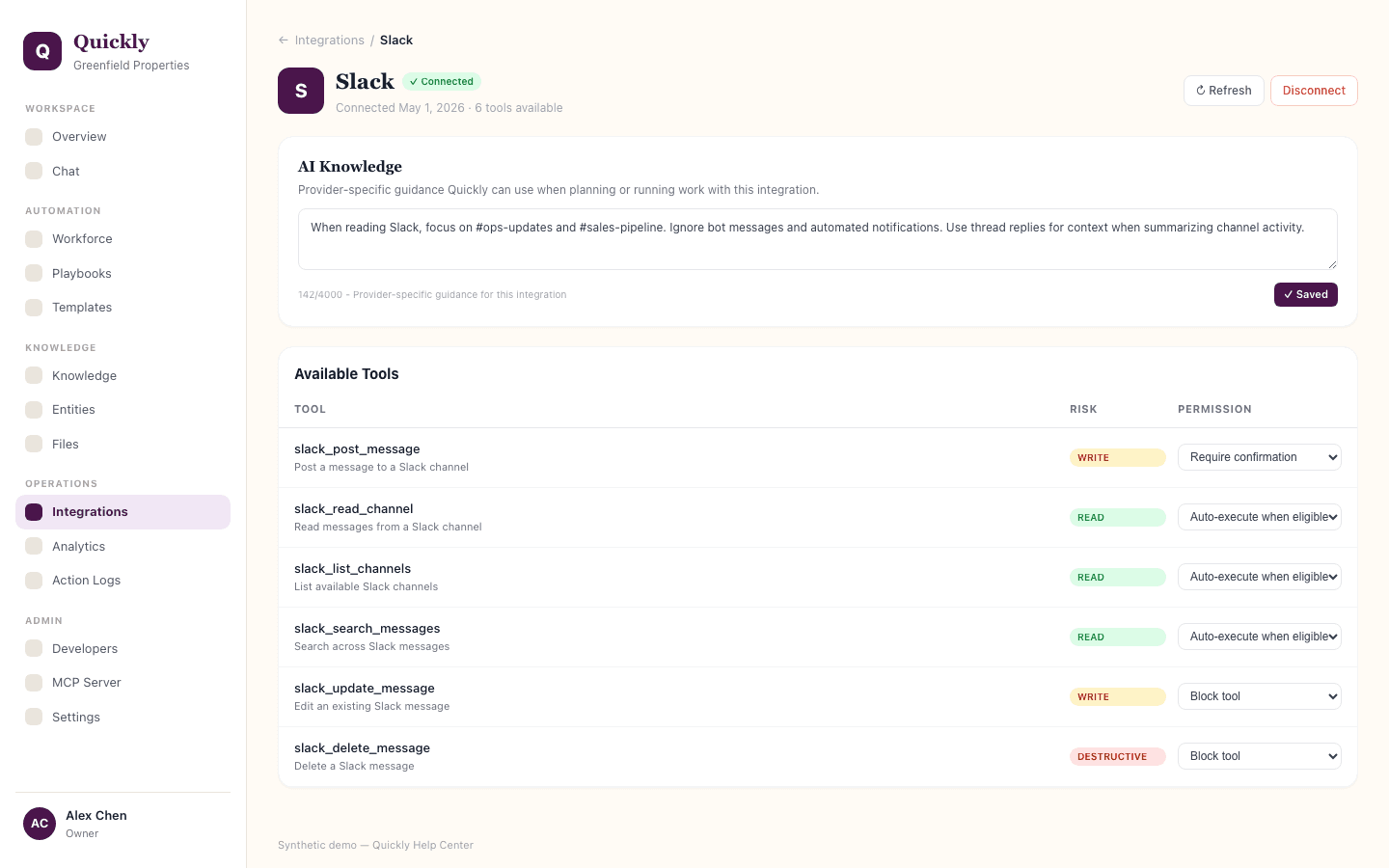
- 1Click Manage on a connected connector to see its tools.
- 2Set workspace tool policy overrides to Auto-execute when eligible, Require confirmation, Block tool, or Use workspace default.
- 3Add provider-specific guidance to help Quickly plan and run work with that provider.
How to disconnect or reconfigure an integration
- 1Click Manage on the connected connector.
- 2Use Disconnect or Refresh controls.
- 3Retry affected tasks after reconnecting or updating credentials.
OAuth tokens are stored encrypted and connections are scoped to the current workspace. Connected credentials can support chat, workflow, and scheduled agent work only within your OAuth scopes and workspace tool policies. Destructive tools stay blocked even when a tool is set to auto-execute.