
Knowledge
Files
Files centralizes uploaded workspace assets and generated artifacts such as documents, PDFs, and browser recordings.
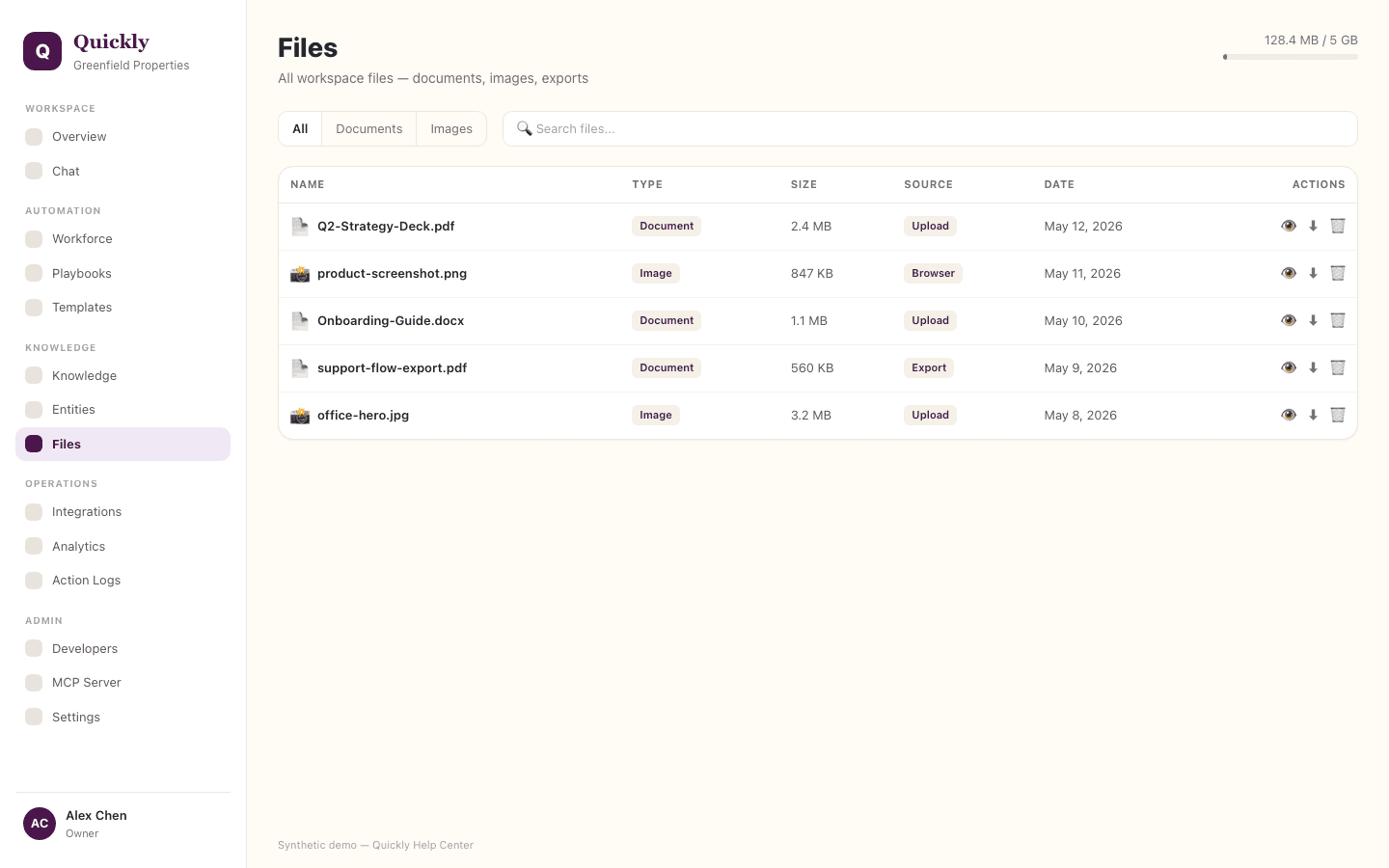
Required tier: All plans
Guides
How to find a file
- 1Open Files.
- 2Filter by file type or source.
- 3Use the file name, owner, or task context to confirm the match.
How to open a generated artifact
- 1Find the generated document, spreadsheet, PDF, or presentation.
- 2Click Preview or the provider link.
- 3Use the related task if you need to understand how it was created.
How to manage file handoff
- 1Check whether the file is stored in Quickly or a connected provider.
- 2Click Download, Preview, or open the provider URL.
- 3Share the provider link when the recipient needs the live file.
File visibility is workspace-scoped.